 Sally
A fast, keyboard-first
file manager for Windows
Sally keeps the classic Open Salamander dual-panel workflow and moves it forward: tabs in both panels, Unicode and long paths, dark mode, Windows Terminal, native ARM64, modern viewers and a full set of bundled plugins. Free and open source.
New in 1.0.50: command palette and custom shortcuts
Version 1.0.50 · portable zip, unpack and run sally.exe, with free manual updates · Other downloads · What's new
Free and open source, made possible by the people who use it: PayPalBuy Me a CoffeeGitHub SponsorsStar on GitHub
- F5Copy
- F6Move
- F3View
- F4Edit
- AltF7Find
- ShiftF9Hot paths
- TabOther panel
- CtrlShiftTNew tab

New in 1.0.50
Find a command. Make its shortcut yours.
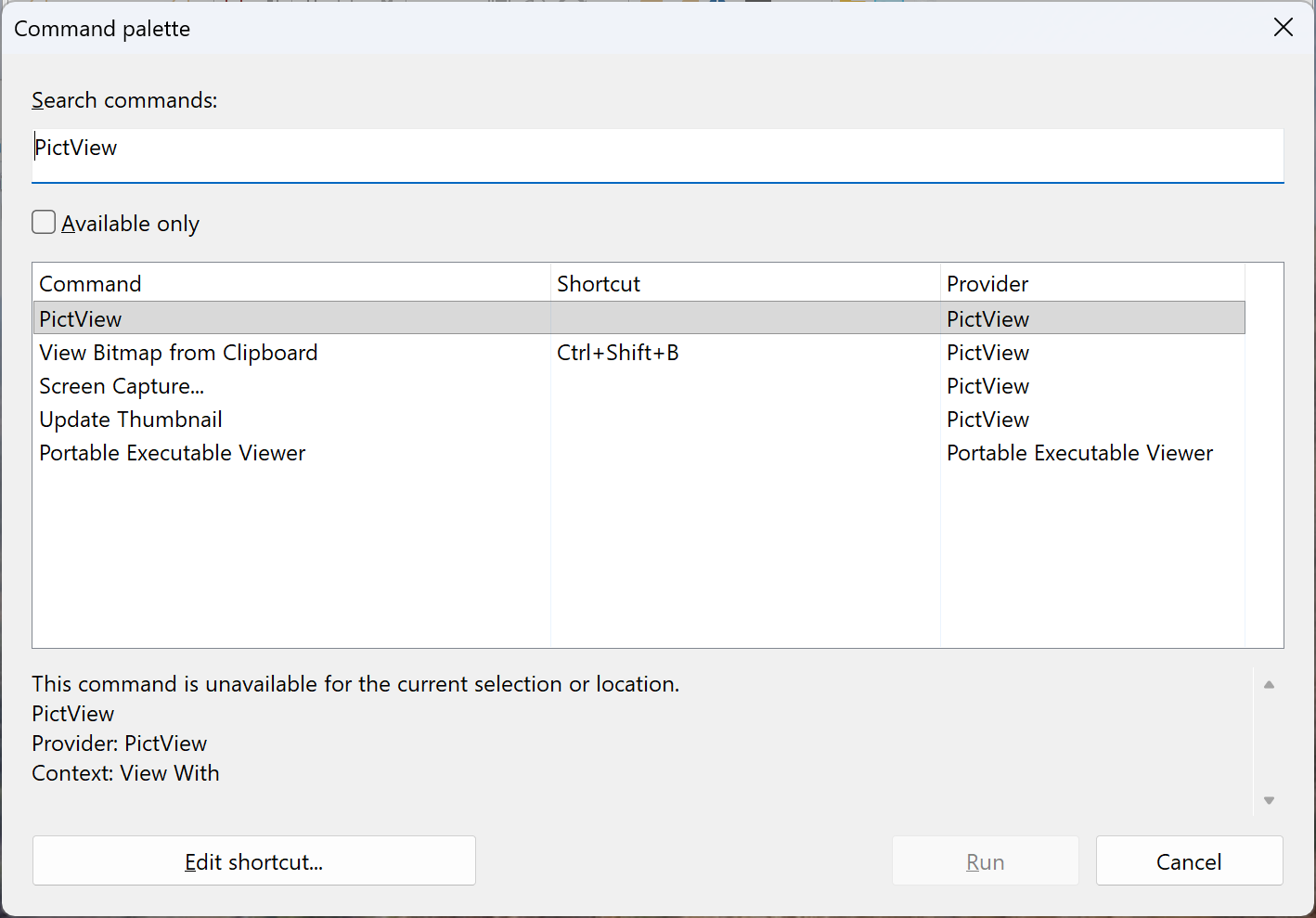
The command palette searches the commands for the window you are using. Open Commands › Command palette in the main window; Ctrl+Shift+P is the recommended shortcut when it is free.
Search by command or provider
The Provider column shows Sally for built-in commands and the plugin's display name for plugin commands. Type a plugin name, such as PictView, to find its actions. Unavailable commands keep their provider and explain why they cannot run; Available only hides them.
Keep the aliases you use
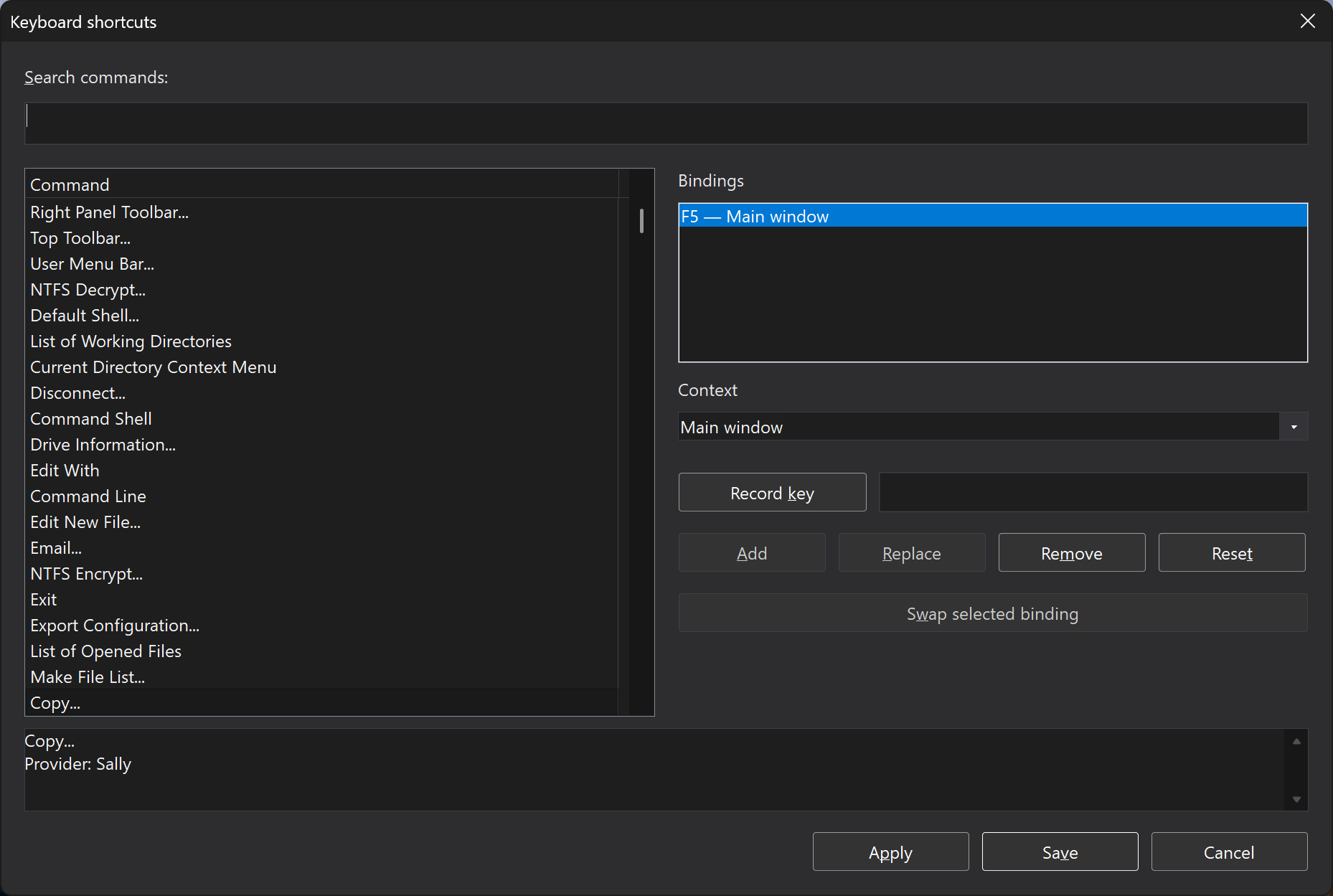
Configuration › Keyboard › Command shortcuts lets you add, replace, remove or reset a command's bindings. A shortcut belongs to a context, such as the main window or a viewer. Conflicts are explained before a change; swapping two selected bindings preserves their other aliases.
Apply activates the draft. Save applies it and saves it to the current profile; a failed save keeps the draft open. Cancel discards changes since Apply. Text editing, navigation, active tools and cancellation keep priority in their protected contexts.

Tabs in both panels
Each panel keeps as many tabs as you need. A tab holds a folder, a place inside an archive, or a plugin file system such as FTP, with its own view, sort order, filter, selection and Back/Forward history, so you switch between working folders without losing your place.
Name the tabs you keep and lock them so they stay open, drag tabs into order, reopen a tab you closed by mistake, and drop folders on the tab bar to open them in new tabs. Sally opens your tabs again at the next start. Coming from Total Commander? Ctrl+Tab already switches tabs, and Ctrl+T and Ctrl+W can open and close them.
| Press | To |
|---|---|
| Ctrl+Shift+T | Open a new tab at the current folder |
| Ctrl+Tab / Ctrl+Shift+Tab | Switch to the next / previous tab |
| Alt+Shift+Right / Left | Switch to the next / previous tab |
| Ctrl+Shift+W | Close the tab (locked tabs stay open) |
| Middle-click | Close the tab under the mouse pointer |
| Right-click a tab | Duplicate, rename, lock, move, reopen closed tabs |
Why Sally
Open Salamander earned its users by making serious file work feel direct: two panels, fast keyboard commands, rich viewers, archives and plugins in a compact window. Sally keeps that muscle memory and fixes the places where the original was showing its age.
Built for real file names
Unicode names and Windows long paths up to 32,767 characters work through copy, move, delete, rename, drag and drop, Find, viewers and network paths.
File operationsDark mode, classic layout
Light, Dark or System theme across the core and the bundled plugins, without turning Sally into a different program. High Contrast still wins.
AppearanceWindows Terminal built in
Open any Windows Terminal profile, PowerShell, WSL or Command Prompt, in the active panel's folder, and choose what the command shell key opens.
Windows integrationArchives as folders
Open ZIP, 7-Zip, RAR, TAR, ISO and more like ordinary folders; view, copy out, add and delete files inside them.
ArchivesFind, then act safely
Search by name, content, size, date and attributes; save and reload results, find duplicates, and run file operations straight from the result list.
SearchCommand palette
Press Ctrl+Shift+P to find any command by name or plugin, see its shortcut, and change the keys to suit you.
Commands and shortcutsConfiguration profiles
Keep separate setups side by side, each with its own settings, shortcuts and window. Switch at the next start, or launch one with -profile.
Configuration profilesTabs in both panels
Keep several folders, archives and FTP sites open in each panel, each tab with its own view, selection and history.
PanelsPlugins included
FTP client, file comparison, batch rename, checksums, DiskMap, undelete, registry editor, the PictView image viewer and more, all in the box.
PluginsMade for the keyboard
Configuration › Keyboard › Command shortcuts lets you add, replace, remove or reset a command's bindings. A shortcut belongs to a context, such as the main window or a viewer. Conflicts are explained before a change; swapping two selected bindings preserves their other aliases.
| Press | To |
|---|---|
| Insert / Space | Select the focused item / calculate a folder's size |
| Num + / Num - | Select or deselect by mask, for example *.log |
| Alt+F1 / Alt+F2 | Change drive in the left / right panel |
| Ctrl+Shift+R | Batch-rename the selection |
| Ctrl+F10 | Compare the folders in both panels |
| F2 | Quick rename in place |
| Shift+F1 | Context help for the command you point at |
Small project, steady releases
User reports turn into fixes and releases quickly. Every release is published on GitHub with checksums and debug symbols. Sally checks for releases every week (or when you choose Help › Check For New Versions). With active support, Install and Restart downloads the release, checks it against its SHA-256 checksum and restarts into it, and utils\salupdate.exe installs a zip you downloaded yourself, even offline.
- 3
- architectures: x64, x86, ARM64
- 11
- UI languages in every release
- 31
- bundled plugins
- GPL
- free software, source on GitHub
Support Sally
Sally is made by one maintainer and the people who report problems and translate. If it saves you time, a donation pays for the next fix, and a GitHub star helps a small Windows project get found.
Runs on Linux, too
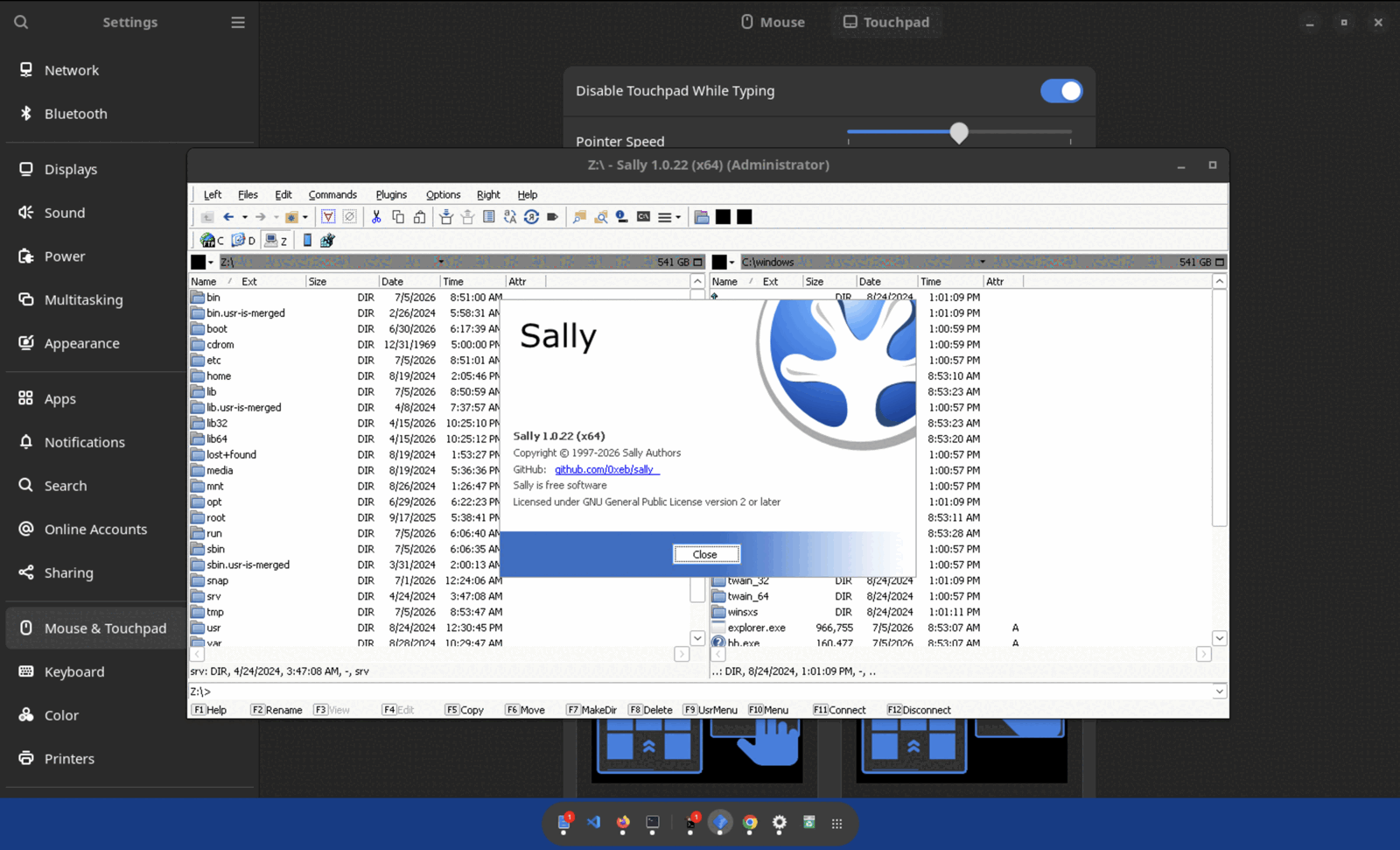
Sally is a native Windows program, and it runs well under Wine 10.0 and newer, with no Windows licence and no virtual machine. Unpack the x64 zip and start it with wine sally.exe; it needs no .NET and no Wine Mono or Gecko.
Speaks your language
English plus 11 maintained translations ship in every release. Switch any time under Options › Configuration › Language.
- Chinese (Simplified)
- Czech
- Dutch
- French
- German
- Hungarian
- Korean
- Romanian
- Russian
- Slovak
- Spanish